

Tripo Studio
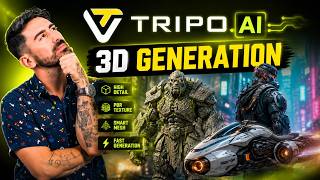
Creating 3D assets usually takes time, skill, and a lot of back-and-forth between different tools. Tripo Studio aims to make that process much easier. It is an AI-powered 3D workspace that helps users generate 3D models from text prompts or images, then refine those models inside the same platform.
If you are a designer, game creator, 3D artist, marketer, or just someone curious about AI-powered design, Tripo Studio is worth a look. It combines generation, editing, texturing, and rigging into a web-based workflow, which makes it useful for both quick experiments and more practical production work.
What is Tripo Studio?
Tripo Studio is a web-based AI 3D modeling platform from Tripo. It is designed to help users create 3D assets from simple text descriptions or uploaded images. Instead of starting from scratch in traditional 3D software, you can describe what you want, upload a reference image, and let the tool generate a model in seconds.
The platform goes beyond basic generation. It also includes tools for segmentation, texture editing, low-poly optimization, and auto rigging. That makes it more than a simple prompt-to-3D generator. It is closer to an all-in-one AI workspace for building and refining 3D content.
Who is Tripo Studio for?
Tripo Studio is built for a wide range of users. 3D artists can use it to speed up early modeling and concept development. Game developers can create fast prototype assets and optimized low-poly models. Product teams and marketers can turn product photos into 3D visuals for presentations or online stores. Educators, hobbyists, and beginners can also use it because the interface is much easier to approach than traditional 3D pipelines.
It is especially useful for people who want faster output without needing deep technical 3D skills from the start.
Main features
One of the biggest strengths of Tripo Studio is its mix of generation and editing tools in one place. You can start with a prompt or image, then improve the result without exporting it to another app right away.
Text-to-3D and image-to-3D
Tripo Studio lets you create 3D models from written prompts or uploaded images. This is ideal for concept art, product mockups, characters, props, and creative experiments. If you already have a sketch, photo, or AI-generated image, you can use that as the starting point.
Intelligent segmentation
The segmentation feature breaks a generated model into meaningful parts. For example, a character can be separated into sections like the head, body, or accessories. This makes editing much easier because you can work on one area without affecting the whole model.
Smart low-poly generation
High-detail models are not always ideal for games, AR, VR, or real-time projects. Tripo Studio can generate cleaner, lighter low-poly versions that keep the overall shape while making the model more practical for performance-focused workflows.
AI texturing and Magic Brush
Tripo Studio includes AI texture tools that help you improve surface details and appearance. Its Magic Brush feature lets you patch or repaint texture areas more precisely, which is useful when a generated model looks good overall but still needs touch-ups.
Auto rigging
For character-based assets, Tripo Studio offers Uni-Rig, an automatic rigging tool. This can save a lot of time by adding a skeletal structure to characters so they are easier to animate or prepare for downstream workflows.
Common use cases
Tripo Studio can fit into many creative workflows. Game developers can use it to make props, creatures, or stylized characters for prototypes. 3D artists can generate a first draft of an idea and then refine it. E-commerce teams can create 3D product visuals from photos. Educators can use it to help students understand form and design. Content creators can build assets for videos, virtual scenes, and interactive demos.
It is also a useful option for rapid ideation. If you need to test multiple concepts quickly, generating several 3D variations from prompts can be much faster than modeling each one by hand.
How to use Tripo Studio
Getting started is fairly simple. First, go to the official Tripo website and open Tripo Studio. Create an account, then choose whether you want to generate a model from text or from an image.
If you are using text-to-3D, write a clear prompt describing the object, character, or scene you want. If you are using image-to-3D, upload a supported image file such as JPG, PNG, or WEBP. After generation, review the result and use the built-in tools to improve it.
You can segment the model into parts, generate a cleaner low-poly version, refine textures, or rig the character if needed. Once you are happy with the result, you can export it for use in your own projects.
Pricing
Tripo Studio uses a freemium pricing model. There is a free plan that includes 200 credits per month, support for up to 8 models, one concurrent task, public models, and a one-day trial of Smart Mesh. This is enough for casual testing and learning the platform.
Paid plans start with the Pro plan, which adds more credits, private models, commercial use, higher-quality generation, more stored models, bulk export, and access to premium features. Higher tiers such as Max and Team are available for heavier use and collaborative workflows.
In short, yes, Tripo Studio does offer a free plan, but teams and regular users will likely want a paid plan for better limits and commercial flexibility.
Supported platforms and integrations
Tripo Studio runs in the browser, so there is nothing heavy to install just to get started. That makes it accessible across major desktop platforms including Windows, macOS, and Linux through a modern web browser.
It also offers integrations and plugins for popular creative and development tools. Based on the official site, Tripo lists plugins for Blender, Unity, Unreal Engine, ComfyUI, Cocos, and Godot. These integrations can help teams move generated assets into game engines or 3D production pipelines more smoothly.
What makes Tripo Studio stand out?
Many AI tools can generate something interesting, but fewer help you continue refining that result in a practical way. Tripo Studio stands out because it tries to cover more of the real 3D workflow, not just the first generation step. You can generate, edit, texture, optimize, and rig in one environment.
That is a big benefit for users who want speed without giving up too much control. It also lowers the barrier for beginners while still offering useful workflow features for more experienced creators.
Final thoughts
Tripo Studio is one of the more interesting AI 3D tools available right now. It takes the idea of prompt-based creation and extends it into a fuller 3D workspace, which makes it more practical than many one-step generators.
If you need a fast way to create 3D assets from text or images, especially for prototyping, game development, product visualization, or creative experimentation, Tripo Studio is a strong option to try. The free plan makes it easy to test, and the paid tiers add enough power for more serious use.






Comments
No comments yet. Be the first to share your thoughts!