
You can’t ignore AI in 3D art anymore: a real production workflow breakdown
AI isn’t replacing professional 3D artists—but it is completely changing how they work. Used well, it can cut a multi-week character production down to a few days, without sacrificing quality. Used badly, it just creates unusable meshes and messy textures.
This guide walks through a realistic, production-focused workflow for building a high-quality Unreal Engine character, showing exactly where AI belongs in the pipeline—and where it still doesn’t.
Where AI Shines: Concepting and Reference
The biggest and most mature win for AI in 3D art right now is concepting. Generating character ideas, outfits, and style variations used to take days of sketching and back-and-forth. Today, AI image models can do that in minutes.
Artists are using tools like "nano banana" (a stand-in name for modern image models) and node-based editors to:
• Generate multi-view character sheets
• Explore different outfits, hairstyles, and accessories
• Quickly communicate ideas with clients or team leads
Clients are also flipping the pipeline: they generate a final-looking AI character reference and hand that to a 3D artist as the brief. Either way, AI is now the default for the concept stage.
At this point, AI isn’t optional—it’s simply the fastest way to explore and lock in a visual direction.
AI for 3D Generation: High Poly vs. Low Poly
Once the concept is ready, the next question is: can AI generate usable 3D models? The answer is: yes, but only if you use it correctly.
Why You Should Work in Parts, Not Full Characters
Trying to generate a full character as one single mesh usually looks fine in a render but falls apart in production. Topology is messy, proportions are off, and nothing is clean enough to rig or animate.
Professional artists instead generate the character in parts:
• Head
• Hair or headpiece
• Clothing pieces (dress, corset, boots, accessories)
• Props (weapons, jewelry, etc.)
When you work piece by piece, modern 3D AI models can produce surprisingly usable results.
Modern 3D Models: Tripo and Others
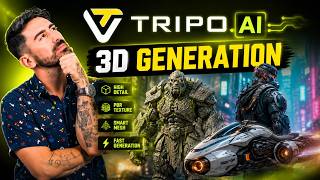
Recent 3D AI models like Tripo P1 and Tripo 3.1 have pushed things forward dramatically, especially for:
• Smart low-poly generation
• Clean, production-friendly topology
• High-poly detail that’s close to sculpt-ready
In some cherry-picked cases, artists can get assets that need almost no edits—things like knives, small dresses, corsets, hats, roses, and even some heads and hair pieces.
A typical workflow today looks like this:
• Generate a high-poly mesh with AI
• Generate or reduce to a low-poly version (often in the same tool)
• Use AI retopology options as a starting point, not a final product
The key mindset: you’re not expecting perfection. You’re looking for a strong base that saves you hours of manual modeling.
Community tools like Top3D.ai (a blind side-by-side comparison site) show how far these models have come—sometimes it’s hard to tell if a mesh was made by a human or AI.
Cleaning Up: Sculpting, Assembly, and Topology
After generation, the real 3D work begins. This is where professional skills still matter a lot.
Sculpting and Fixing AI Imperfections
AI high-poly meshes often have:
• Noisy or guessed details (patterns, tiny ornaments)
• Inconsistent shapes
• Decorative elements that don’t bake well
In ZBrush, Blender, or similar sculpting tools, artists typically:
• Clean up or remove messy AI details
• Re-sculpt important shapes and forms
• Add small elements (like roses or trims) manually where needed
• Assemble all parts into a coherent high-poly character
At this stage, AI doesn’t really help. But compared to building everything from scratch, you’re starting from a strong base and moving much faster.
Retopology: AI as a Helper, Not a Replacement
Retopology used to be one of the slowest parts of character creation. With new models like Tripo P1, AI can now generate decent low-poly meshes with surprisingly smart edge flow—especially for faces (even things like eyelashes as a single clean plane, or separate teeth and tongue meshes).
However, it’s not production-perfect yet:
• Maybe 1 out of 20 assets is close to “drop-in ready”
• Most of the time, you still need to fix loops, holes, and intersections
• Complex characters still require manual adjustments
Artists usually bring the AI low-poly into tools like Blender (with add-ons like RetopoFlow) or Maya and:
• Check for holes and overlapping geometry
• Fix critical edge flow (especially around joints and the face)
• Ensure every visible area is properly covered
AI saves time by giving you a good starting mesh, but manual retopology skills are still essential.
UVs and Baking: Still Mostly Manual
AI UV Unwrapping: Early but Promising
UV mapping is another critical step where AI is just starting to appear. Some tools, like Junya, offer AI-based UV unwrapping. In practice:
• For complex characters and heads: results are usually not good enough
• For simple static props and environment pieces: sometimes surprisingly usable
• For production characters: manual seams are still faster and more reliable
Most AI-generated meshes under the hood rely on automatic unwrap tools like X-Atlas or Blender’s Smart UV Projection. These tend to create thousands of tiny islands on complex models—far from ideal for clean texturing.
Right now, UV AI is experimental at best. However, new research like the Mesh Tailor paper hints at future tools that could unwrap like a human, placing smart seams automatically. That’s one to watch.
Baking Maps: No Real AI Shortcut Yet
Map baking (normal maps, ambient occlusion, etc.) is still very much a manual, technical step. You need:
• A clean high-poly and low-poly pair
• A properly set cage
• Knowledge of how to avoid artifacts
Some tools advertise “automatic optimization” or AI-assisted baking, but for complex characters they usually produce visible errors. For now, baking remains a must-learn skill for any serious 3D artist.
Texturing: Where AI Starts to Get Really Interesting
Texturing is one of the most exciting areas for AI in 3D right now—especially for color maps.
AI-Powered Texture Painting
There are emerging tools built specifically for AI-driven texturing that:
• Take your model and its normal map into account
• Generate textures that follow the surface details
• Work layer by layer, similar to traditional painting workflows
Some solo-developed tools already deliver impressive results, generating detailed clothing, patterns, and materials almost instantly. The quality depends heavily on:
• How good your reference images are
• Whether you use multi-view references correctly
• How you build up textures step by step
Other systems like Prism or Tripo’s own texturing features can generate PBR-style textures for props and simpler objects very quickly. For some assets, they’re faster and good enough to use almost as-is.
There are even AI tools that generate normal maps directly from images—essentially a much smarter version of the old "bump-to-normal" generators from a decade ago. These can be useful for adding surface detail quickly.
Overall, AI is already strong for:
• Base color maps
• Quick material ideas
• Normal map generation from images (for certain use cases)
Why Substance Painter Still Matters
Even with AI, professional texturing tools like Substance Painter remain the backbone of production:
• They handle all maps: color, roughness, metallic, curvature, etc.
• They offer powerful generators, masks, and presets
• They integrate well into game engines and studio pipelines
AI can help you generate a strong color base or interesting material variations. But to get a true production-ready look, you still need to:
• Refine and layer materials in Substance Painter (or similar)
• Perform additional baking where needed
• Manually tweak roughness, metallic, and other channels
Some AI tools offer full PBR generation, but results are often random and don’t fully respect your normal maps or mesh details. For now, they’re more of a quick idea generator than a final solution.
If you’re interested in running cutting-edge 3D models locally, you may also want to explore guides like how to run Trellis 2 3D AI on just 6GB of VRAM.
Hair, Rigging, and Animation: Still Human-Heavy
Hair and Fur
Hair is one of the least-solved areas for AI in game-ready 3D. For optimized, production characters, artists still rely on:
• Hand-made hair cards
• Careful layout and optimization for performance
• Manual texturing and placement
There are early research efforts like Neural Fur that show promise for fur-like effects, but nothing yet that replaces a skilled artist building hair cards for real-time engines.
Rigging and Animation
Rigging is another area where AI tools haven’t caught up. Most “AI rig and animate” features in current platforms are not robust enough for serious game or film use.
Instead, artists still rely on:
• Established tools like Mixamo and AccuRig for auto-rigging
• Manual refinement of rigs for complex characters
• Traditional animation pipelines
For animation, the future looks brighter. Tools like Cascadeur and NVIDIA’s research projects (such as Komodo) are pushing AI-assisted animation forward, with smarter posing, physics-aware motion, and easier keyframing. If you’re following the broader AI ecosystem, these fit into the same wave of advanced agent-like tools covered in pieces such as building real AI agents.
But for now, high-end rigging—especially for AAA characters—is still very much a human-driven craft.
The Realistic AI + 3D Workflow Today
Putting it all together, a modern, production-minded character workflow with AI looks like this:
1. Concepting: Heavy AI use. Generate references, style variations, and multi-view sheets.
2. 3D Generation (High Poly): Strong AI use. Generate parts (head, clothes, props) as high-poly bases.
3. 3D Generation (Low Poly): Moderate AI use. Use AI low-poly as a starting point, then fix manually.
4. Sculpting & Assembly: Manual. Clean, refine, and assemble the character in ZBrush/Blender/etc.
5. Retopology: AI-assisted. Start from AI topology, then correct and optimize by hand.
6. UV Mapping: Mostly manual. AI UV is experimental; manual seams are still faster and cleaner for characters.
7. Baking: Manual. Critical for quality; no reliable AI shortcut yet.
8. Texturing: Hybrid. AI is great for base color and some normals; final PBR work still lives in tools like Substance Painter.
9. Hair: Manual. Hair cards and grooming are still human-driven for game-ready assets.
10. Rigging & Animation: Mostly manual or using classic auto-rig tools, with AI-assisted animation just starting to become useful.
Used this way, AI doesn’t replace professionals—it amplifies them. A character that might have taken two weeks a few years ago can now be built in a few days, or even a single intense day for a very fast artist, without turning into "AI slop."
The bottom line: you can’t ignore AI in 3D art anymore. The artists who learn where it truly helps—and where to fall back on traditional skills—will be the ones who deliver more, faster, at the same or higher quality.







Comments