

Tripo AI
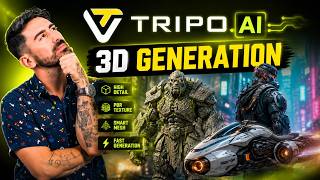
Tripo AI is an AI-powered 3D creation platform designed to turn text prompts and images into 3D models in far less time than traditional modeling workflows. If you want to create game assets, concept models, product visuals, or 3D-print-ready ideas without starting from scratch in complex software, Tripo AI is a tool worth knowing.
The platform is developed under the Tripo brand and is available through Tripo Studio for web users, with a separate API product for developers who want to build 3D generation into their own apps and workflows. Its main focus is simple: help creators generate high-quality 3D content faster.
What Tripo AI does
At its core, Tripo AI is a 3D model generator. You can describe an object with a text prompt, upload a reference image, or use multiple views to create a more accurate result. The system then generates a 3D model that you can refine, texture, convert, and export for different creative or production needs.
This makes it useful for people who need visual assets quickly but do not want to spend hours modeling every detail manually. It is especially appealing for early ideation, prototyping, content creation, and asset generation.
Main features
One of Tripo AI's biggest strengths is flexibility. It supports text-to-3D, image-to-3D, and multi-image-to-3D generation, giving users more than one way to build a model depending on what source material they have.
Beyond generation, Tripo also offers features for texturing, mesh refinement, topology optimization, animation-related workflows, format conversion, and style transformations. The platform highlights options such as high-detail model generation, smart topology for game and web use, and export support for different 3D pipelines.
For developers, Tripo provides an API that can generate models from text, images, and multi-view inputs, making it possible to integrate AI 3D creation into custom tools, apps, and business workflows.
Who Tripo AI is for
Tripo AI is built for a wide range of users. That includes 3D artists, game developers, designers, animators, creators working on AR or VR experiences, product teams, marketers, and even hobbyists exploring 3D printing.
It can also be useful for startups and businesses that want to scale content production without building every 3D asset manually. If speed matters and you need a faster way to move from idea to usable 3D model, Tripo AI fits that need well.
Common use cases
Many users will see Tripo AI as a fast concepting tool. You can type a prompt like a fantasy sword, futuristic chair, toy figure, or stylized animal and quickly generate a starting point for further editing. That alone can save a lot of time during brainstorming and pre-production.
It is also useful for turning product photos or sketches into 3D assets, preparing models for games or web experiences, creating printable concepts for 3D printing, and producing assets for animation, film, e-commerce, branding, and social media content.
Developers can use the API to automate 3D asset generation inside internal tools, design systems, creative platforms, or user-facing applications.
How to use Tripo AI
Getting started with Tripo AI is fairly straightforward. First, go to the official website and open Tripo Studio. After creating an account, you can begin with the free entry option if available in your region and account type.
Once inside, choose how you want to generate your model. You can enter a text prompt if you are starting from an idea, or upload one or more images if you want the AI to follow a visual reference. After submitting the input, Tripo generates a 3D asset for you to preview.
From there, you can refine the result depending on your needs. Users may adjust texture options, optimize geometry, convert formats, or prepare the model for downstream use in game engines, creative tools, or 3D printing workflows. When the model looks right, export it in the supported format that matches your project.
If you are a developer, the process is different. You sign up for the API, obtain credentials, submit generation tasks through the API endpoints, then retrieve the generated assets programmatically.
Pricing
Tripo AI uses a freemium model. Tripo Studio offers a free tier, and public Tripo materials indicate that the free plan includes monthly credits. Public Tripo pages also state that assets generated on the free plan do not support commercial use, which is important for professional users to keep in mind.
For paid usage, Tripo promotes a Pro plan for Studio, while its API uses a separate credit-based billing model. According to the API documentation, usage is prepaid and billed by credits, with different tasks consuming different amounts depending on the generation type and options selected.
In short, casual users can start free, while professionals and teams will likely need a paid plan or API credits for larger workloads and commercial projects.
Supported platforms and integrations
Tripo Studio is web-based, so it works through a browser without requiring a traditional desktop installation. That makes it easy to access across common desktop environments.
For integrations, the biggest one is the Tripo API. This is useful for product teams and developers who want to connect Tripo's 3D generation features with their own apps, services, or creative pipelines. Export and conversion features also make it easier to move assets into other 3D tools and engines, even though exact downstream workflows will depend on the chosen file format and project setup.
What makes Tripo AI stand out
Tripo AI stands out because it focuses on a specific problem: making 3D creation faster and more accessible. Instead of asking users to master complex modeling software from day one, it gives them a way to generate usable starting points from plain language or simple images.
That is especially valuable for creators who want speed, experimentation, and iteration. The platform also covers both individual creators through Studio and technical teams through its API, which gives it broader appeal than tools built for only one audience.
Another strong point is the mix of detail and workflow support. Tripo is not just about generating a rough mesh. It also emphasizes texture, topology, refinement, and export, which are the features that matter when a model needs to move beyond a demo and into a real project.
Final thoughts
Tripo AI is a strong option for anyone looking for an AI 3D model generator that is easy to start with and flexible enough for more serious creative work. Whether you are making prototypes, game assets, product visuals, or experimental 3D concepts, it can help you move from idea to model much faster.
If your work depends on commercial rights, team-scale usage, or API access, be sure to review the latest plan details before committing. But for creators who want a practical, modern way to generate 3D assets from text and images, Tripo AI is an impressive tool to explore.







Comments
No comments yet. Be the first to share your thoughts!