
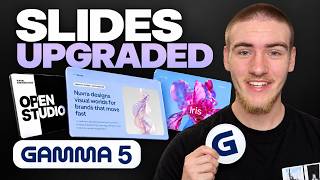
This new Gamma 5 update changes how AI presentations are made
AI presentation tools are getting smarter, but most still feel like they’re chasing speed over quality. Gamma 5 takes a different direction: it focuses on helping you create decks that actually feel crafted, on-brand, and ready to present to real clients or stakeholders.
Instead of just spitting out slides from a prompt, Gamma 5 now guides you through structure, style, and editing in a way that feels closer to working with a designer than a simple slide generator.
From a simple prompt to a complete pitch deck
Gamma 5 still starts with a prompt, but what happens next is where it stands out. Imagine you’re creating a client pitch deck for an AI automation agency helping small businesses reduce manual admin work. You can type a single prompt describing the goal of the deck, the sections you need (pain points, offer, use cases, workflow, implementation, pricing, next steps), and the tone you want (clear, visual, persuasive).
Before it designs anything, Gamma shows you a full outline of the presentation. This outline-first approach is useful because you can check the story before worrying about visuals. You can quickly see if the deck opens with the right problem, explains the solution clearly, and includes specific use cases and next steps.
Once you’re happy with the structure, you choose a template and define the visual style of the images. After you approve, Gamma generates the full presentation, with professional layouts, cohesive visuals, and a clear narrative that feels ready to present.
One prompt, multiple visual directions
One of the most interesting aspects of Gamma 5 is how differently it can interpret the same prompt. Using the exact same content brief, you can generate completely different decks just by changing templates, color palettes, and image styles.
For example, you can create:
• A polished, professional client pitch deck for meetings with decision-makers.
• A more visual, creative version that emphasizes bold layouts and standout imagery.
• A third variation with yet another layout style and mood, tailored to a different audience or use case.
This flexibility makes Gamma feel less like a one-style slide machine and more like a design system. The content stays consistent, but the visual direction can shift dramatically with just a few clicks.
Global styles that don’t break your layout
Gamma 5 adds a powerful “styles” layer on top of your deck. Instead of manually adjusting every slide, you can change the entire look in one place—colors, fonts, and overall visual direction.
You might try a darker, high-contrast style for a bold, techy feel, then switch to a lighter, more spacious style for a calmer, more open presentation. The key benefit: when you change styles, the layout still holds together. The slides don’t fall apart just because you changed the theme.
Reusing old decks as style references
One of the most practical features in Gamma 5 is the ability to import an older deck as a style reference. If you already have a client-approved pitch, a brand deck, or a standard internal presentation, you can bring it into Gamma and use it to guide the look and feel of new projects.
Because your past work stays in your account, it becomes a reusable asset. Instead of starting from scratch or drifting away from brand guidelines, you can keep generating new decks that still feel connected to your existing brand or client style. This solves a real problem for agencies, startups, and teams that need consistency across multiple presentations.
Editing content directly in your slides
Once the deck is generated, Gamma 5 doesn’t lock anything in. You can refine the text directly on each slide—shorten long paragraphs, punch up headlines, and clarify key messages. Visual tweaks like adjusting colors, changing backgrounds, or improving contrast are also handled inside the same editor.
This means you don’t have to jump between tools for copy, design, and layout. You can keep iterating inside Gamma until the deck feels clear, professional, and aligned with your goals.
Built-in AI image editing inside Gamma
Gamma 5 also lets you edit and regenerate images without leaving the platform. If an image doesn’t quite fit the slide, you can enhance the prompt, describe what you want to change, and generate a new version in seconds.
You can experiment with different styles, lighting, and compositions until the visuals match the message on the slide. This makes it much easier to keep your deck visually consistent without resorting to external image tools or manual design work.
AI chat for smart slide-level edits
Gamma includes an AI editing chat that can modify slides based on natural language instructions. For example, if your pricing slide needs work, you can simply describe what you want:
• Reorganize the pricing tiers
• Highlight the recommended plan
• Make the text more readable
• Emphasize key benefits for each option
Gamma will apply those changes for you, adjusting layout and content automatically. This is especially useful for busy slides like pricing, feature comparisons, or timelines, where manual tweaking can be time-consuming.
Using your existing content from other tools
Gamma 5 is built to work with the tools teams already use. It can pull content from Notion, Slack, HubSpot, and more than 20 other platforms. That means meeting notes, sales context, research, and campaign details don’t have to be copied and pasted manually.
You can bring in this existing content and turn it into a structured, visual presentation with much less friction. This approach is similar in spirit to how tools like Google’s NotebookLM now auto-syncs business knowledge to make it easier to reuse across workflows.
Importing and exporting PowerPoint and PDF
Many teams still rely heavily on PowerPoint and PDFs, so compatibility matters. Gamma 5 allows you to import existing PowerPoint or PDF decks, restyle and edit them, then export them back out while keeping the formatting intact.
This means you’re not locked into Gamma’s ecosystem. You can design and refine in Gamma, then share the final deck as a PowerPoint, a PDF, or via a shareable link to present directly from the browser. For teams comparing tools like Manus, Gamma, and others, this kind of flexibility is often a deciding factor, as discussed in our AI presentation tools comparison.
How Gamma 5 actually changes AI presentations
The real value of Gamma 5 isn’t just speed. It’s the way it helps decks feel more intentionally crafted:
• The AI agent asks questions and builds a clear outline before touching design.
• The same prompt can become multiple visual directions, depending on your chosen style.
• Styles can transform the entire look of a deck without breaking layouts.
• Old decks can guide new ones, keeping everything on-brand.
• You can import, restyle, and export PowerPoint and PDFs without losing formatting.
For anyone who regularly creates client pitches, internal updates, or sales decks, Gamma 5 turns AI presentations from a quick draft tool into something closer to a collaborative design partner. The best way to see its value is to start with a real deck you actually need and let Gamma guide you from prompt to polished presentation.




Comments
No comments yet. Be the first to share your thoughts!