
Nano Banana finally dethroned? Deep dive into GPT Image 2.0
GPT Image 2.0 has arrived, and it’s the first time Nano Banana’s long-held image-generation crown is seriously under threat. The new model doesn’t just look good — it’s shockingly strong at text, layout, and reasoning-heavy prompts that usually break other generators.
Below is a full breakdown of where GPT Image 2.0 shines, where Nano Banana still wins, and how to get the best results from the new model.
Quick Win: The One Word That Makes Images Look More Real
Out of the box, GPT Image 2.0 can feel a bit underwhelming for realistic photography. Prompts like “realistic photo,” “cinematic,” or “iPhone photo” help, but often don’t quite hit true realism.
One word changes that: “photorealism”.
Keeping the rest of the prompt identical and just adding “photorealism” dramatically boosts realism — skin texture, lighting, depth, and overall believability all improve. If you want lifelike portraits, action shots, or product photos, make “photorealism” a default part of your prompt vocabulary.
Editing, Consistency, and Complex Layouts
GPT Image 2.0 is not just a text-to-image model; it’s also a strong image editor and layout engine. It handles multi-step edits, character consistency, and spatial reasoning better than most models available today.
Image Editing and Character Consistency
The model handles iterative edits cleanly:
• Adding or changing objects: For example, giving an orc a battle axe, then turning the orc into a female character, then zooming and rotating the shot while adding effects like a red glow on the horn — all while keeping the character recognizable.
• Changing camera angle: Switching from a close-up to a full-body front view preserves character details and outfit, which many models still struggle with.
• Action and lifestyle shots: It can keep the same person consistent across multiple scenes — volcano boarding, surfing inside a barrel wave, skydiving with another person, or walking through a haunted house. When the aesthetic feels too stylized or fake, adding “photorealism” typically fixes it.
Complex Room and Object Layouts
GPT Image 2.0 does unusually well at prompts that require precise placement of many objects:
• A grid of eight different items arranged in specific places in a room, each with detailed instructions.
• A multi-object scene where every item has a defined position and relationship.
In these tests, it followed spatial instructions more accurately than Nano Banana, with only minor scale issues (like a slightly oversized capybara) rather than outright failures.
Combining and Upscaling Real Photos
When asked to blend two real photos into a single coherent image, GPT Image 2.0 produced a strong result directly inside ChatGPT, though the face was a bit soft. Using the new 4K API option significantly improved facial clarity and fine detail.
Running the same 4K prompt through Nano Banana produced noticeably off-looking faces and less convincing blends, even when the resolution matched.
Where GPT Image 2.0 Crushes It: Text, UI, and Reasoning
The biggest leap with GPT Image 2.0 is its handling of text and structured layouts. This is where it starts to feel less like a “pretty picture generator” and more like a tool you can trust for work, dashboards, and content.
Accurate Text in Posters, Thumbnails, and Whiteboards
GPT Image 2.0 is far better than Nano Banana at rendering small, dense, and varied text correctly:
• Parody movie poster: It generated a full poster with a block of tiny credits at the bottom — names like “Music by Binary Bard,” “Edited by Cut and Code,” and “Production design by Pixel and Pine” were all legible and correct. Nano Banana’s version looked nice at a distance but turned into warped gibberish on zoom.
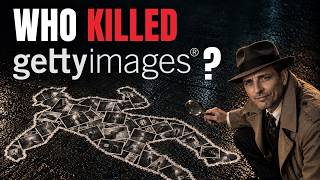
• YouTube thumbnail-style images: Even with a vague prompt about the GPT Image 2 release, GPT Image 2.0 produced a highly usable thumbnail on the first try — better than typical out-of-the-box results from other generators. This aligns with broader testing of GPT Image 2 in other workflows, like those covered in this hands-on guide to GPT Image 2.
• Whiteboards and books: On a classroom-style scene, the whiteboard equations were rendered with clean, correct characters and realistic handwriting. Some book spines still had minor text issues, but overall it was a big step up from the usual AI text chaos.
UI Screens, Dashboards, and Fake Websites
GPT Image 2.0 can convincingly fake entire user interfaces and screenshots:
• Comment sections: It generated a social-style comments UI where every comment had unique names, profile pictures, and legible text.
• Midjourney explore page clone: It recreated a Midjourney-like gallery page, including images that genuinely looked like Midjourney outputs and UI elements in the right places.
• ComfyUI workflow: It produced a realistic ComfyUI workflow screenshot with nodes, connections, prompts, negative prompts, model names (like AnimateDiff), motion settings, and even LoRA loading. Some connection lines weren’t perfect, but the overall layout and text were surprisingly accurate. Nano Banana’s attempt at the same prompt had text errors scattered everywhere.
These capabilities are powerful but also highlight how easy it’s becoming to fabricate convincing screenshots and interfaces — a reminder that images online are less trustworthy than ever.
Infographics and Information-Dense Layouts
Infographics are where GPT Image 2.0 really separates itself from Nano Banana.
• Recipe infographic: Both models could generate attractive recipe layouts, but GPT Image 2.0 included more helpful information — ingredient amounts, clearer steps, and more structured instructions, making it more than just a pretty graphic.
• Handwritten-style note page: For a chaotic, doodle-filled handwritten page (“We are Stardust and Co.” style), Nano Banana produced a neat but bland result that didn’t match the prompt’s energy. GPT Image 2.0, on the other hand, nailed the vibe: scribbles, clip art, messy handwriting, and dense, believable content across the page.
• AI video architecture infographic with web research: With “thinking mode” enabled, GPT Image 2.0 can research public information about leading AI video models, plan an infographic, and then render it. In one test, it spent about seven minutes researching, planning, and then generated a highly detailed infographic comparing architectures, inputs, outputs, and limitations. Text was mostly accurate and legible, with only tiny typos like “emphasis” rendered slightly off.
By contrast, a comparable Nano Banana infographic looked very aesthetic but was riddled with subtle text errors: misspellings like “Dolly Zoom,” incorrect technical terms, and broken phrases. The more text Nano Banana is asked to include, the more those issues show up.
When Accuracy Actually Matters (e.g., Car Shopping)
One of the most revealing tests was a real-world use case: comparing 2026 Toyota Sienna trims in an infographic.
• Nano Banana’s version: Looked clean and polished, but had serious factual issues. It completely omitted the Woodland Edition trim, misreported seat counts (e.g., listing the LE as a 7-seater when it’s an 8-seater), and added features like a moonroof where none were listed on the official site.
• GPT Image 2.0’s version: Included the missing Woodland Edition and, on inspection, aligned with the actual Toyota site. It also added genuinely useful details like starting prices, making the infographic more practical for real decision-making.
This is where GPT Image 2.0’s combination of web-aware reasoning and image generation becomes a serious productivity tool, not just a creative toy.
Hard Reasoning Tests: Alphabets, Grids, and Tiny Details
GPT Image 2.0 also performs better on prompts that combine logic, counting, and layout — areas where many image models still break down.
Alphabet and Object Grids
• Alphabet animals poster: A classic stress test is an A–Z animal poster with each letter matched to the correct animal in a grid. Nano Banana’s models consistently got close but failed on the bottom rows — skipping letters, misaligning animals, or merging tiles (like combining W and X). GPT Image 2.0 is the first model to generate this perfectly in these tests, with every letter correctly matched and placed.
• 100 objects starting with “A” (10×10 grid): GPT Image 2.0 was asked to fill a 10×10 grid with 100 distinct objects, all starting with the letter A. It was extremely close, with only a couple of tiles where it tried to squeeze two items into one square (like a jacket and an answering machine together). It even correctly matched trickier words like “aubergine” to an eggplant.
Newspapers, Code Editors, and Engineer Desks
GPT Image 2.0 handles dense, realistic text environments surprisingly well:
• Newspaper front page: It generated a newspaper announcing the rollout of GPT Image 2 with a believable layout, side articles, and legible text throughout — not just the main headline.
• Engineer’s dual-monitor setup: The model produced two screens filled with code, folder structures, and UI elements that look like a real IDE (similar to VS Code), plus a notebook with realistic scribbles. Zooming in shows mostly correct and coherent text. Nano Banana’s version captured the general “coder at desk” vibe but broke down into nonsense text on closer inspection.
Web-Aware Dashboards and Live Data
With web search enabled, GPT Image 2.0 can build visual dashboards from live or recent data:
• It can search for current news, sports scores, financial data, and more.
• Then it composes a dashboard-style image with tiles, each showing a headline, short summary, and a relevant visual.
In one test, it correctly captured an NBA game score (Timberwolves vs. Nuggets) but was slightly off on an oil price figure. The overall structure and most data points were correct, but you should still treat this as a research assistant, not a single source of truth.
Storyboards, Style Transfer, and Tricky Visual Challenges
Beyond text and infographics, GPT Image 2.0 is also strong at narrative and style-aware tasks — though Nano Banana still wins in some pure-style cases.
Storyboards with Consistent Characters
GPT Image 2.0 can generate multi-panel storyboards with consistent characters and evolving scenes. For example, a 10-panel story about paper characters surviving a fire in their paper town:
• The same characters appear consistently across all panels.
• The narrative progresses clearly: fire, discovery of a flower in the debris, reunion, community rebuilding.
• Each frame includes production notes and scene numbers, making it genuinely useful for previsualization or planning.
Style Matching: Where Nano Banana Still Shines
Style transfer is more of a mixed bag:
• Colorful Midjourney-style bear: When asked to recreate the same style with a bighorn sheep, Nano Banana matched the original style almost perfectly. GPT Image 2.0 produced a good image, but the style drifted and didn’t truly match the source.
• Papercraft character: Both models did a solid job generating a male character in the same papercraft style, with no clear winner.
• Poker scene “turn the camera around”: Here GPT Image 2.0 did better, maintaining the original style and lighting when showing the opponent. Nano Banana changed the lighting and style entirely — and even dealt the player only four cards.
If your top priority is ultra-stylized, art-first outputs, Nano Banana still has an edge in some scenarios. For a broader look at this head-to-head, you can also check out this detailed comparison of GPT Image 2 vs Nano Banana.
Aspect Ratios and Classic Logic Puzzles
• Custom aspect ratios: GPT Image 2.0 handles unusual aspect ratios like 3:1 without issues. An 8-bit side-scroller adventure game scene in 3:1 came out with a strong retro style (though some elements, like a Goomba-like enemy, clearly echo classic games).
• Seven-finger hand, clock, and wine glass challenge: A classic prompt asks for a hand with seven fingers, a wall clock showing 8:22, and a glass of red wine filled to the brim. GPT Image 2.0 nailed the extra fingers and the full glass; the clock was almost perfect, with the minute hand correct and the hour hand just slightly off position. Still, it’s the closest many testers have seen to a fully correct result.
Converting Stylized Art to Photorealism
GPT Image 2.0 can also turn stylized art into realistic photography:
• Converting a stylized character or animal into a photorealistic version works very well, especially when combined with the “photorealism” keyword.
• Even more abstract or hard-to-visualize scenes translate into surprisingly coherent and attractive realistic images.
Extreme Detail: The “Futurepedia” Grain of Rice
One of the most impressive micro-detail tests was this prompt: a bowl of rice with thousands of grains, and one grain has the word “Futurepedia” etched on it.
• GPT Image 2.0 not only rendered thousands of grains but also correctly etched “Futurepedia” on a single grain that you can zoom into and read.
• Nano Banana tried to cheat: it visually hinted at a special grain but didn’t actually render the word when zoomed in, even across multiple attempts.
So… Did GPT Image 2.0 Really Dethrone Nano Banana?
Overall, GPT Image 2.0 wins in most practical, work-related scenarios:
• Where GPT Image 2.0 wins:
– Accurate text (even tiny text and dense paragraphs)
– Infographics, dashboards, and data-heavy visuals
– Web-aware research + image generation in one flow
– Complex layouts, grids, and multi-object scenes
– Storyboards and consistent characters across many frames
• Where Nano Banana still shines:
– Pure aesthetics and stylized art in some cases
– Certain style-transfer prompts where exact visual matching matters more than text or logic
For creators, marketers, and professionals who care about both how something looks and whether the details are correct, GPT Image 2.0 is now the more reliable default. Nano Banana remains a great option for highly stylized, art-forward outputs, but it’s no longer the uncontested champion.
If you’re designing thumbnails, infographics, dashboards, or UI mockups — especially where text accuracy matters — GPT Image 2.0 is absolutely worth building into your workflow.


Comments
No comments yet. Be the first to share your thoughts!