
How to build a free AI marketing audit team with Claude Code in 16 minutes
Most businesses know they need better marketing, but can’t afford a $5,000–$10,000 per month agency retainer. At the same time, many people want to launch an AI automation or marketing agency but don’t have the tools or team to deliver real value.
With Claude Code and a simple GitHub setup, you can turn your laptop into a full AI marketing team that audits websites, analyzes competitors, and generates polished PDF reports for clients in just a few minutes.
What This AI Marketing System Actually Does
The setup is built as a collection of Claude Code “skills” – reusable instruction files that turn Claude from a general assistant into a specialized marketing expert.
Once installed, you get around 15 marketing-focused commands you can trigger with simple slash commands inside Claude Code. These skills can:
Audit any website’s content, messaging, and funnels
Review SEO and technical discoverability
Analyze competitors across multiple tiers
Generate email sequences and ad copy
Create a professional, client-ready PDF marketing report
The flagship command is /market-audit. You give it a website URL, and it launches multiple AI agents in parallel to run a full marketing audit, then summarizes everything into a structured report.
How the Multi-Agent Audit Works
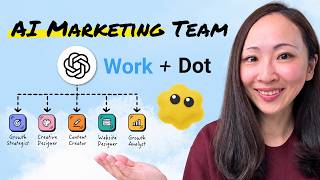
The power of this system comes from running several Claude sub-agents at the same time, each focused on a specific area of marketing. All of this behavior is defined in simple markdown files called skill.md inside the GitHub repository.
The Market Audit Skill
The market-audit skill is the core of the system. Its skill.md file tells Claude exactly how to behave as a senior marketing strategist. The process runs in phases:
Phase 1 – Discovery: Fetches the target URL, detects the business type (SaaS, e‑commerce, local business, creator, etc.), and identifies key pages like the homepage and service pages.
Phase 2 – Parallel Analysis: Launches five specialized sub-agents simultaneously. Each one focuses on a different area:
Content and messaging
Conversion optimization and funnels
SEO and discoverability
Technical and on-site issues
Overall strategy and positioning
Phase 3 – Synthesis: Once all sub-agents finish, Claude combines their findings into a single, coherent audit with scores, key issues, and recommendations.
Because these agents run in parallel, you get a deep, multi-angle marketing audit in just a couple of minutes.
Competitor and Funnel Skills
Beyond the full audit, you can also run individual skills when you only need a specific type of analysis. For example:
/market-competitors – Finds and analyzes three tiers of competitors: direct, indirect, and aspirational. It looks at their positioning, offers, content, and social proof, then summarizes the competitive landscape.
Other skills – Focus on funnels, landing pages, email, social content, and more, so you can drill into a single area without running the full audit every time.
All of these behaviors are defined in human-readable markdown, so you don’t need to write code to customize or understand them.
Step-by-Step: Setting It Up with Claude Code
You can get this entire system running on your own machine with a few simple steps. You’ll be working inside an IDE (code editor), but you don’t need to be a developer.
1. Install Visual Studio Code and Claude Code
Visual Studio Code (VS Code) is a free code editor that works as the main environment for this setup. After installing VS Code:
Open VS Code and go to the Extensions panel.
Search for Claude Code for VS Code (make sure it’s by Anthropic).
Click Install. Once installed, you’ll see a Claude icon in the top-right corner of VS Code.
Clicking that icon opens Claude Code inside VS Code, giving you a chat-style interface plus access to tools, files, and terminals.
2. Clone and Install the Marketing Skills from GitHub
The marketing system lives in a public GitHub repository. Inside its README or installation section, you’ll find a single command that installs everything at once.
To install it:
Create or open a folder in VS Code where you want this project to live.
Open the terminal in VS Code (View → Terminal, or use the toggle at the bottom).
Paste the installation command from the GitHub repo and press Enter.
VS Code will automatically download and set up all the marketing skills. When it’s done, you’ll see folders like market-audit, market-competitors, market-copy, market-email, and more.
Inside each folder is a skill.md file that defines what that particular skill does. Claude Code reads these instructions to behave like a specialist in that area.
3. Confirm the New Slash Commands
Once installation completes, open Claude Code in VS Code and type a forward slash (/) in the chat box. You should now see a list of new commands starting with market-, such as:
/market-audit/market-competitors/market-report-pdfOther skills for copy, email, social, funnels, etc.
These are your AI “team members” – each slash command triggers a different marketing workflow.
Running a Real Marketing Audit on Any Website
Once everything is installed, you can start running full audits on real businesses, including your own site or potential clients.
1. Launch the Market Audit
To run a full audit:
Copy the URL of the website you want to analyze.
In Claude Code, type
/market-auditfollowed by the URL.Press Enter and approve any permission prompts (for example, allowing access to multiple domains or web search).
Claude will then:
Scan the site and identify the business type.
Launch the five parallel sub-agents for content, conversion, SEO, technical, and strategy.
Wait for all agents to finish, then synthesize the results into a structured audit.
Within a couple of minutes, you’ll see a detailed summary in the Claude Code chat, including an overall score (for example, 64/100) and categorized findings.
2. Generate a Client-Ready PDF Report
The raw audit inside Claude Code is powerful but not very client-friendly. That’s where the PDF generator skill comes in.
After the audit finishes:
Type
/market-report-pdfin Claude Code.Approve any prompts to install Python or supporting tools if asked.
The system will convert the audit into a polished PDF and save it in your project folder. When you open the PDF, you’ll typically see:
Cover page: Business name, website, date, and overall marketing score (e.g., 64/100, graded as C‑).
Executive summary: A clear explanation of the current marketing performance and biggest opportunities.
Score breakdown: Ratings for content and messaging, conversion optimization, SEO and discoverability, brand and trust, and more.
Key findings: A prioritized list of issues labeled as critical, high, medium, or low severity.
Prioritized action plan: Quick wins (this week), medium-term (1–3 months), and strategic improvements (3–6 months).
Competitive landscape: Real competitors with notes on their strengths, social proof, and positioning.
Methodology section: A short explanation of how the audit was performed, so clients understand the process.
Because the report is structured and visually clear, it looks like something a traditional agency would charge thousands of dollars to produce.
Turning This Into a Real Marketing Service
This setup isn’t just a cool tech demo – it’s a practical foundation for a marketing or AI automation service.
Using Audits to Open Client Conversations
One simple strategy is to target local or niche businesses that regularly invest in marketing, such as med spas, dentists, law firms, or high-ticket service providers. For example, running an audit on a local med spa might reveal issues like:
Inconsistent pricing between service pages and specials pages (a critical trust issue).
No meta descriptions across the site, forcing Google to auto-generate search snippets and hurting click-through rates.
Lack of FAQ schema or structured data, making it harder to stand out in search results.
You can send the PDF report to the business as a free value-first offer, highlighting a few of the most important findings in your message. Many owners don’t have the time or expertise to fix these issues themselves, so a clear, prioritized action plan positions you as a capable partner.
From there, you can offer a monthly retainer (for example, $2,000–$5,000 per month, depending on your market) to implement the recommendations: fixing technical SEO, improving copy, tightening funnels, and running campaigns.
Letting AI Handle the Heavy Lifting
You don’t need to be a senior marketer or developer to deliver this service. The combination of Claude Code and the prebuilt skills does most of the strategic and technical thinking for you. When you’re not sure how to implement a recommendation (like adding structured data or optimizing metadata), you can simply ask Claude Code for step-by-step instructions tailored to the client’s website stack.
This approach is similar to other AI-powered business builds, such as creating a resume app or automation service in minutes. If you’re interested in stacking multiple AI-powered offers, you might also like this guide to building a profitable resume app with AI in 14 minutes.
Why This Matters for the Future of Agencies
Tools like Claude Code are redefining what a “team” looks like in marketing. Instead of hiring multiple specialists, you can orchestrate a set of AI agents that:
Work in parallel
Follow consistent, documented processes
Produce standardized, high-value deliverables like PDF audits
For solo operators and small agencies, this levels the playing field. You can offer the kind of deep strategic audits that used to require a full in-house team. And for businesses, it means getting actionable insights and clear roadmaps without paying agency-level retainers.
If you’re exploring the broader landscape of AI tools reshaping web and marketing work, it’s also worth comparing modern AI website builders. A good starting point is this breakdown of the best AI website builders for 2026.
With a simple GitHub repo, Claude Code, and a few commands, you can turn your computer into a full-stack AI marketing team – and start turning audits into real revenue.




Comments
No comments yet. Be the first to share your thoughts!